Ask in plain words. Sarathi builds it, designs it and does the work.
Sarathi is a Windows app that builds complete apps and websites and checks them in a real browser, designs posters and posts on its Artboard, researches the web with sources, and does tasks in the apps on your PC, like Tally and Excel. It shows every change and asks before deleting anything.
- AI usage included, no API keys
- Your project stays on your PC
- Every change shown, with undo
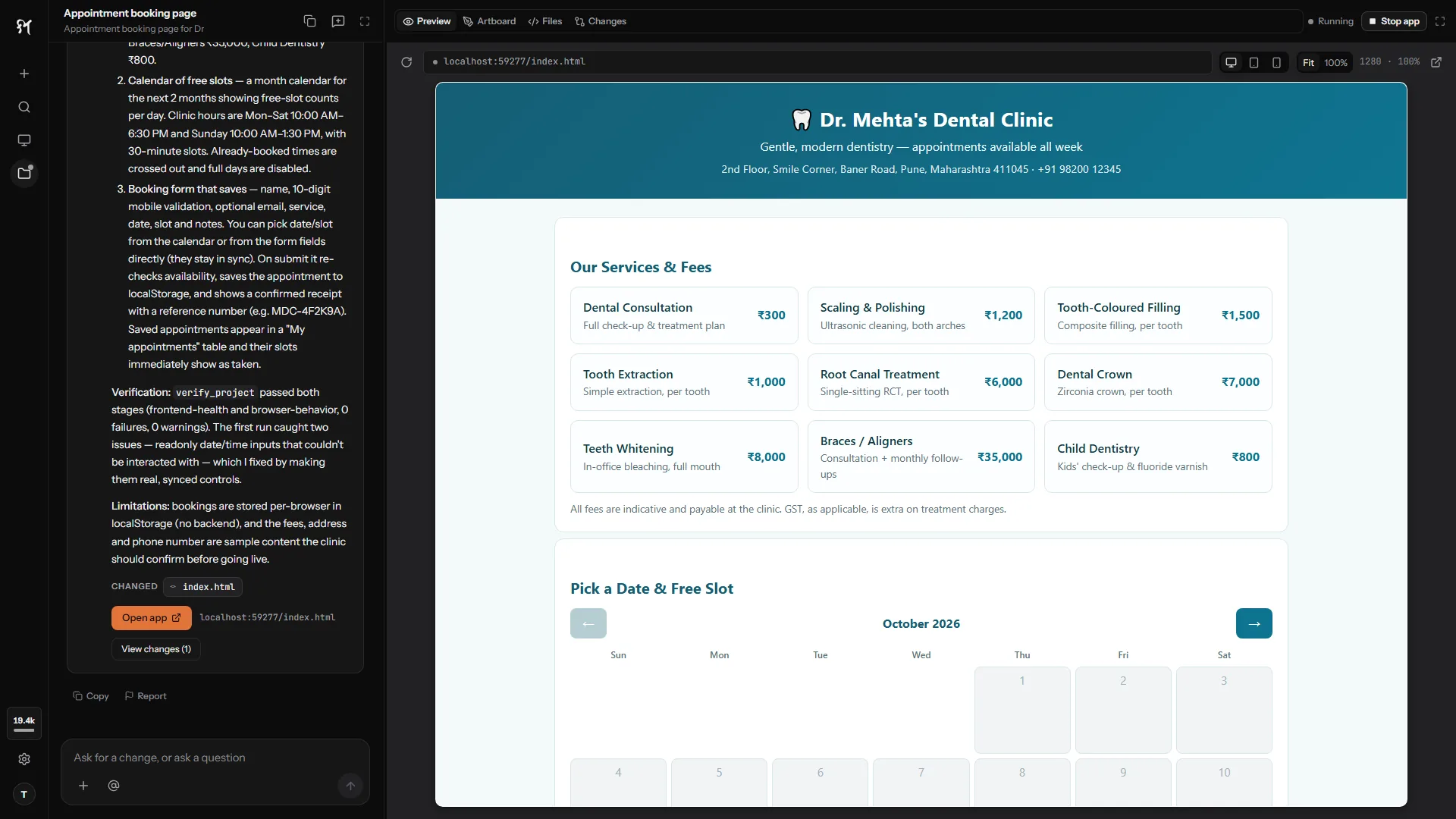
From a request to a finished result, in one conversation.
 1
1Ask in plain words
In English or Hinglish: a booking page for your clinic, a Diwali post for your shop, or a question for your Tally books.
- Booking page is ready
- Project setup
- 3/3
- App starts
- 2/2
- Browser checks
- 6/6
2Sarathi does it and checks it
It builds and runs apps and tests them in a real browser, designs on the Artboard, works in your apps, and shows the sources behind its answers.
 3
3Keep changing it
Ask for a new colour, a WhatsApp button or a fix. Watch it in the live preview and see every line that changed.
Design it, research it, and see where the answer came from.
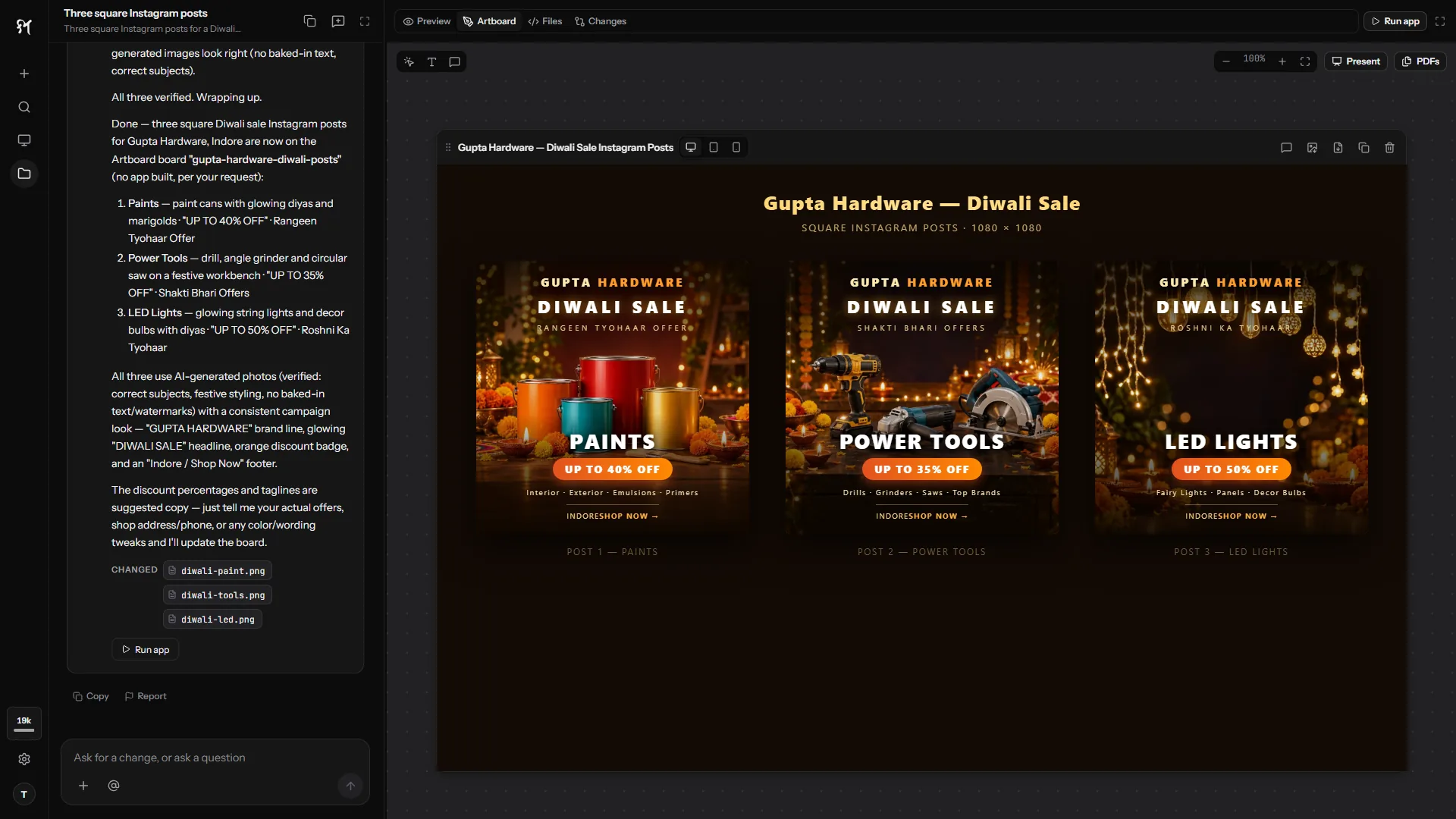
Posters, social posts and page drafts on the Artboard, with AI-generated pictures, versions and export.
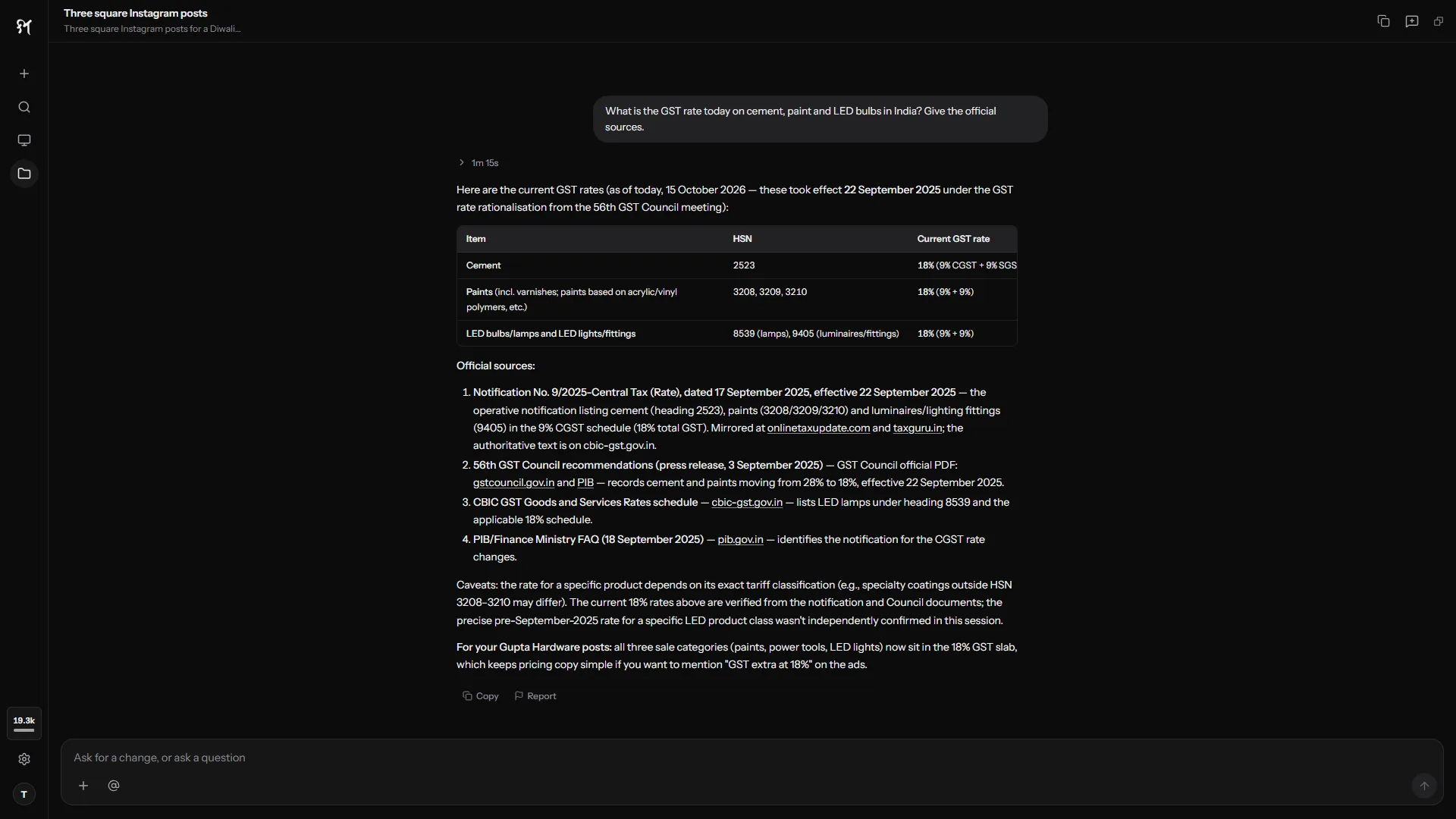
Questions answered from the web, with the sources listed so you can check them.
Real results you can check and own.
Most AI tools hand you text and hope it works. Sarathi runs and checks what it makes, and tells you what it changed.
Finished apps, not snippets
Screens, server, data and sign-in, in one project folder that is yours.
Done means it runs
Every build is started and tested in a browser. You see each check it ran.
Your work stays with you
Projects live on your PC. Only what a step needs is sent to Sarathi's AI service.
Nothing deleted without asking
Sarathi asks before it deletes anything, keeps a backup of each change, and can restore data your app saved.
Report any answer
Every AI answer has a Report button. Tell us when an answer is wrong, inappropriate or unsafe.
AI included in your plan
No API keys, no model accounts, no second bill. One plan covers it.
Plans from a month.
AI usage included. Prices in US dollars.
Questions
Do I need to know how to code?
No. You describe what you want and Sarathi does the building. Every file is still there for you, or a developer, to read.
Can Sarathi work in Tally and my other apps?
Yes. Ask your Tally books a question or make an entry, fill a spreadsheet or turn notes into a letter. A control bar shows what Sarathi is doing, with Pause and Stop.
Which AI model does Sarathi use?
Sarathi runs on leading AI models through its own service. We choose and test them on real builds so you don't have to, and change them as better ones appear.
Where is my project stored?
In a folder on your PC. Sarathi does not upload your project; only what each step needs is sent to its AI service.
Can I cancel?
Anytime, from your dashboard. Your plan runs to the end of the period you paid for. Within 14 days of your first payment you can ask for a refund, less the AI usage already used and payment charges.
What should Sarathi do first?
Install from the Microsoft Store, sign in, and ask.